
The Wichita Eagle | Local News
McClatchyNews & Magazines
3.0113.00 Reviews
- Version
- 11.1.16
- Installs
- 10.00K
- Age Rating
- Everyone 10+
Screenshots

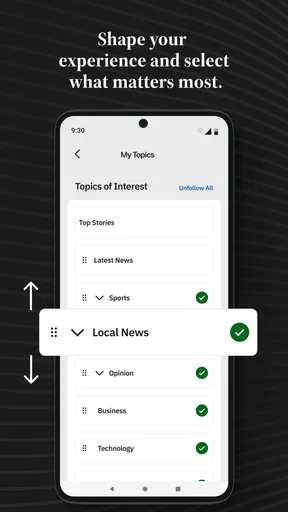

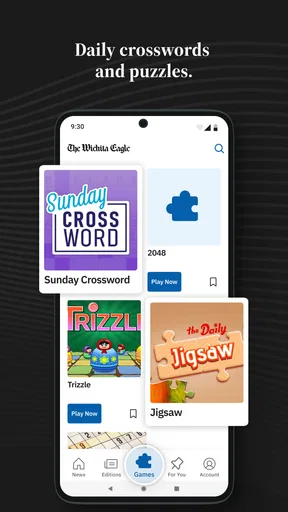

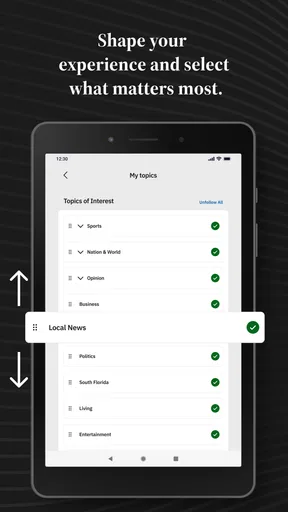


Our Review of The Wichita Eagle | Local News
 Analysis by Appyee
I found The Wichita Eagle | Local News most useful when I treated it as a shared household news source rather than as a complete replacement for every other way of following current events. Published by McClatchy, this free News & Magazines app focuses on Kansas reporting, with attention to politics, business, weather, games, and local sports. That local focus gives it a clear purpose: it is for people who want Wichita-area developments in one place instead of filtering through a broad national news feed.
My experience with it is generally positive, but not uncritical. The app is straightforward enough for a household to keep on a phone or tablet, and its Everyone 10+ content rating makes it a reasonable option for older children using a shared device with an adult nearby. At the same time, a shared device creates practical questions about whose account is active, which stories are being followed, and whether a purchase prompt could be misunderstood. Those boundaries matter more here than they would with a casual, single-user app.
How it works in a shared household
The strongest everyday use case is a home where several people care about local information for different reasons. One person may check weather before leaving for work, another may follow city or state politics, and someone else may open the sports coverage after school or during the weekend. Because those interests sit within the same local publication, the app can serve as a common starting point without forcing everyone to install separate specialist apps.
I can easily imagine opening it on a kitchen tablet in the morning, scanning the latest local headlines, and then handing the device to another family member who wants sports coverage. That kind of pass-around use is where a local news app earns its place. It is less about endless scrolling and more about giving the household a shared sense of what is happening nearby.
The approach also works for relatives who live away from Wichita but still want a connection to the area. A former resident can use the app to keep up with local developments, while someone currently in Kansas may use it for practical context around weather or community news. The value comes from relevance: a national news application may offer more breadth, but it is unlikely to make Wichita and Kansas the center of the experience.
That focus is also the main trade-off. If I want international coverage, technology news, or a wide selection of national reporting, I would reach for a larger general-news service. This app makes more sense beside those alternatives, not necessarily instead of them. Its job is to reduce the effort of finding local reporting, and it does that best when the household already has a reason to follow the Wichita area.
Starting on one device without making a mess
Since the app is free to install, the initial decision is easy for a household: there is no upfront cost to trying it. The more important setup question is how the device will be shared. I would decide before handing it around whether the app is mainly for casual reading, whether one adult will manage any account activity, and whether children are expected to use it only with permission.
I would also avoid assuming that a shared tablet automatically creates separate reading spaces. A family can coordinate informally, but that is different from having distinct personal profiles. If several people use the same device, it is sensible to close the app or return to a neutral screen after reading, especially if one person does not want the next user to see their browsing context.
That is a small habit, but it prevents confusion. A parent checking a sensitive local story may not want a younger child to open the same article without discussion. Likewise, a child might accidentally continue from a page another family member left open. The app’s content rating is Everyone 10+, so I would treat it as suitable for that age range with ordinary adult judgment, not as a promise that every headline will fit every child.
The current version is 11.1.16, and the app requires Android 8.0 or later. In practical terms, that makes the operating-system requirement worth checking before planning to reuse an older household phone or tablet. If the device cannot run that Android version, the problem is compatibility rather than the app’s news content, and another way of reading local coverage may be more convenient.
Keeping household reading organized
Coordination is where a little routine helps. I would suggest one person checking the main feed for major local developments, while other family members open the sections that match their interests. That avoids everyone repeatedly searching for the same information and makes the app feel more like a shared bulletin board than a private feed.
A useful household workflow is to discuss important stories outside the app rather than assuming everyone has seen the same article. For example, one family member may notice a weather report, while another sees a political update. Mentioning the headline aloud can turn the app into a practical conversation starter, but it also avoids treating a single article as the complete picture of a developing event.
For sports fans, the app can be a convenient local check-in, while a dedicated sports service may still be better for deep statistics, live play-by-play, or broad league coverage. The same principle applies to weather. Local reporting can add useful context, but someone making a safety-critical decision should compare it with an appropriate official weather source. I see the app as a strong local-news layer, not as the only tool a household should trust for every urgent decision.
Another non-obvious advantage of shared use is that it can reveal different information needs within one family. A teenager may care about local sports, an adult may follow business news, and an older relative may be interested in community developments. Rather than forcing everyone into the same national feed, the app gives those interests a common local frame. The limitation is that this works through household communication; the app itself should not be treated as a substitute for separate account boundaries or family rules.
Accounts, purchases, and personal boundaries
The free price makes experimentation comfortable, but the app includes in-app purchases ranging from $7.99 to $159.99 per item. That is the detail I would discuss before installing it on a shared device. The presence of optional paid items means a child or guest should not be left to interpret purchase screens alone, and the household should decide who is allowed to approve anything that appears inside the app.
I would keep the payment decision with one adult and make the rule clear: reading is open to the household, while purchases require permission. This is especially important when a device is connected to a family payment method. The safest approach is not to rely on a child recognizing the difference between a free article and a paid option. A simple conversation and the device’s own purchase safeguards are better than assuming everyone will make the same choice.
Account boundaries matter for adults too. If one person signs in or manages a subscription-related action, another user should not casually continue through those screens. On a shared tablet, I would hand the device over only after returning to ordinary article browsing. That keeps household use friendly without blurring responsibility for account activity.
I also prefer to separate shared reading from personal news habits. Someone who wants a private, carefully tailored reading routine may find a single household device inconvenient. In that case, an individual phone and separate account arrangement is a better fit. The app can support common access, but it does not remove the need for families to decide what should remain personal.
Age context and trust
The Everyone 10+ rating gives parents a useful starting point, but I would still introduce the app gradually. News changes every day, and even a local publication can cover accidents, crime, political disputes, severe weather, or other subjects that deserve context. A ten-year-old may be able to navigate the app, yet still need an adult to explain a difficult headline.
That makes co-reading more valuable than simply allowing unrestricted access. I would show a child how to distinguish a headline from the full article, how to ask questions about unfamiliar terms, and how to pause before sharing a dramatic claim with the rest of the family. These are habits that matter particularly in local news, where a story may affect neighbors, schools, workplaces, or community groups directly.
Trust also works in both directions. Adults should not assume that a younger user understands every story, but children should not be treated as incapable of learning responsible news habits. The app is suitable for a household conversation about checking context, waiting for updates, and separating reporting from personal reaction. That educational value is one reason I prefer it to leaving a child alone with an unrestricted national news stream.
For older relatives, the main question may be ease of use rather than age suitability. A local focus can reduce the amount of irrelevant material they need to scan, but shared-device handoffs can still be confusing if several people leave different screens open. I would keep the routine simple: open the app, check the local sections that matter, read the full story when it is important, and close it when finished.
Where it fits among other news options
Compared with a general news aggregator, this app feels more intentional. An aggregator is useful when I want many publishers, fast comparisons, or a broad national and international mix. The Wichita Eagle’s advantage is the opposite: it gives local reporting a central place, which can save time for readers who repeatedly search for Kansas news elsewhere.
Compared with social media, I find a dedicated local news app easier to use for deliberate reading. Social feeds can surface local stories quickly, but they also mix reporting with commentary, reposts, and unrelated material. This app is a better first stop when I want to read about Wichita without depending on whatever happens to appear in a timeline.
Compared with a newspaper website in a mobile browser, the app offers a more focused reading habit. A browser is still preferable when I am already researching several sources or moving between many sites. The app wins when I want one familiar place to check local coverage. That distinction is important: convenience is its strength, while breadth and cross-source comparison belong to other tools.
The average rating is 3.0 from around 296 ratings, with about 113 written reviews. I would read that as a sign to keep expectations measured rather than dismissing the app outright. Ratings at that level suggest that the experience will not satisfy everyone, and my own recommendation depends heavily on whether local Wichita coverage is genuinely useful to you. The app has a clear audience, but it is not a universal news solution.
What I would change in my own routine
I would not leave notifications or reading decisions entirely to chance on a shared device. Instead, I would establish a short morning check and a separate evening check, with urgent weather or community developments handled as needed. That keeps the app from becoming background noise and makes it easier to notice meaningful changes.
I would also use headlines as prompts, not conclusions. If a story affects travel, school plans, work, or family safety, I would read the complete article and compare it with a relevant official source when appropriate. This is a practical strength of a local publication: it helps identify what deserves attention. It is not a reason to stop verifying high-stakes information.
For a household, I would label the device’s rules clearly: adults handle purchases, children ask before opening sensitive stories, and everyone returns the app to a neutral screen after use. Those steps are not app features, and they do not require complicated technology. They simply make the shared experience more respectful and predictable.
My household verdict
After using it as a local reading tool, I would recommend The Wichita Eagle | Local News to households with a real connection to Wichita or Kansas. Its free entry point, focused coverage, and mix of politics, business, weather, local sports, and games make it easy to test without committing immediately. The developer, McClatchy, gives the app a recognizable local-news identity rather than making it feel like another anonymous headline collector.
I would be more cautious about recommending it to someone who wants one app for the entire news world. National and international readers, heavy sports-statistics users, and people who prefer comparing many publishers may be happier with a broad aggregator or a collection of specialist sources. I would also avoid installing it on an outdated shared device without checking the Android requirement first.
For families, the best result comes from treating it as a shared window onto local life while keeping account and payment responsibilities with adults. The Everyone 10+ rating supports supervised use by older children, but it does not eliminate the need to talk about difficult stories. With those boundaries in place, the app becomes a practical household check-in: useful in the morning, helpful when local events change plans, and easy to pass between people with different interests.
My final view is simple: choose it for focused Wichita-area awareness, not for unlimited news breadth. If that local connection matters in your home, the app is worth trying. If it does not, the narrow focus will feel like a limitation very quickly.
Verdict
Strengths of The Wichita Eagle | Local News
- Fast access to breaking news and Wichita-area updates
- Covers local politics, schools, crime, sports, and community events
- Digital subscription supports independent local journalism
- Articles are easy to share with friends and family
- Useful for staying informed about nearby neighborhoods and issues
Limitations of The Wichita Eagle | Local News
- Many full articles may require a paid subscription
- Advertising can make some screens feel cluttered
- Some content may load slowly on weaker connections
- Push notifications may feel frequent for some readers
- Coverage is primarily focused on Wichita and nearby areas
Other Releases by McClatchy
View All
Fort Worth Star-Telegram News
News & Magazines3.0

The Charlotte Observer | News
News & Magazines2.7

Sacramento Bee News California
News & Magazines3.1

Kansas City Star | Local News
News & Magazines2.8
Similar Picks in This Category
View All
Google News - Daily Headlines
Google LLC4.0

X
X Corp.4.8

Flipboard:Your Social Magazine
Flipboard3.4

Opera News: breaking & local
Opera4.5

Hindi News by Dainik Bhaskar
Dainik Bhaskar Group4.0

Way2News Daily News App
Way2News ( Formerly Way2SMS )4.6
Frequently Asked Questions
What is The Wichita Eagle | Local News app?
The Wichita Eagle | Local News app is a mobile news platform focused on Wichita, Kansas, and the surrounding communities. It provides access to local reporting, breaking news, politics, business, sports, entertainment, weather, and community updates. The app is designed for readers who want to follow regional stories in one place rather than relying only on national news sources.
Is The Wichita Eagle app free to download and use?
The app can generally be downloaded and installed at no cost, allowing users to explore available content and app features. However, access to all articles and premium reporting may require a subscription or account, depending on the current membership terms. Before downloading, users should review the pricing, trial conditions, renewal details, and subscription limits shown in the app store or during registration.
What type of news and features does the app offer?
The Wichita Eagle app typically includes local headlines, breaking news alerts, investigative journalism, sports coverage, weather information, opinion pieces, and stories about events across the Wichita area. Depending on the version and subscription level, readers may also find personalized news feeds, saved articles, photo galleries, newsletters, and notifications for important developments or topics they follow.
Does The Wichita Eagle app require an internet connection?
An internet connection is normally needed to download current articles, refresh the news feed, receive breaking-news notifications, and display multimedia content such as photographs or videos. Performance may vary between Wi-Fi and mobile data, so users should monitor data consumption when reading or streaming away from home. Some versions may support limited offline reading for previously loaded or saved content.
Is The Wichita Eagle app worth downloading?
The app is worth considering if you live in Wichita, have family or business interests in the region, or want detailed coverage of local events that national news apps often overlook. Its main advantage is the concentration of area-specific reporting in a convenient mobile format. The value depends on how frequently you read local news and whether the available subscription content fits your budget.
